
Contents · 51 / 58
Read the News hub
Updated 31 October 2026 · 3 min read · 14 Contents
Plain-language meaning
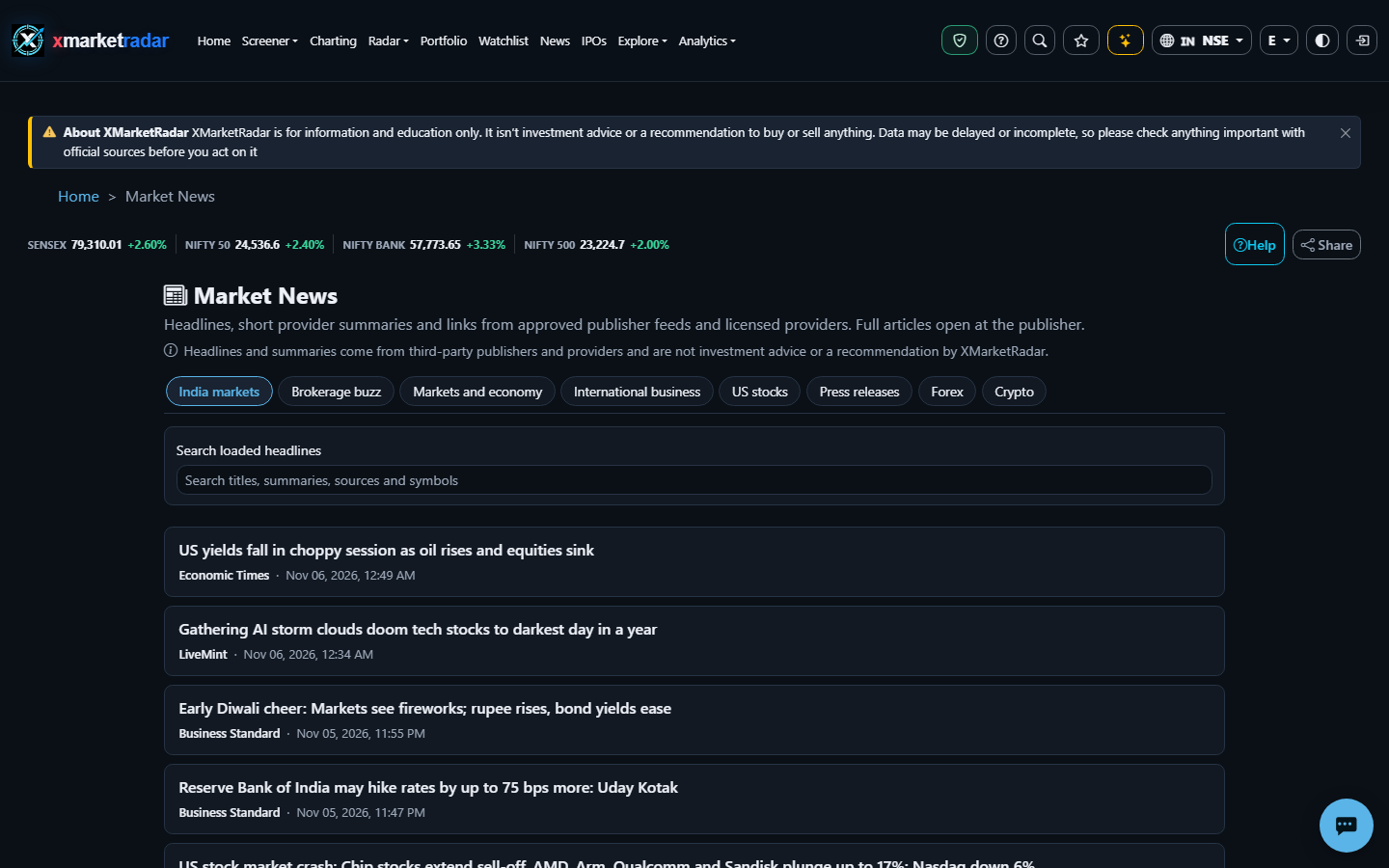
The News hub collects market headlines into fixed sections — India markets, Brokerage buzz, Markets and economy, International business, US stocks, Press releases, Forex and Crypto — with each headline linking to the publisher's own article.
Why it is useful #
It gives one place to scan market news by subject, filter it to a symbol, and jump from a headline to the stock it mentions.
Where it appears and the workflow #
Open News from the main navigation (/news; in the app, the newspaper icon in the top bar). Choose a section tab; the page remembers it and the address can be shared. Each card shows the headline, a short summary, the publisher, the author where known, the time and, in US stocks and Press releases, links to the exact listings mentioned. Filter by symbol where offered, search within the loaded headlines, and use Load more for older items. The Web page checks for new headlines every five minutes and offers to show them.
Calculation or source #
India markets, Brokerage buzz and International business come from approved publisher feeds; the other sections come from stored licensed news articles from the last 30 days. Headlines are shown as published, newest first, with summaries shortened to 400 characters. No AI rewriting is applied. Stock chips link only to confirmed exact NASDAQ or NYSE listings.
Prerequisites, inputs, period and unit #
No plan is needed. Some licensed sections ask you to sign in, and a section waiting for its display licence is not shown.
Worked example #
Illustrative only: filtering Press releases to one US symbol lists only releases tagged with that exact listing; a release about a similarly named company on another exchange is not included.
What high and low mean #
Not a score: headlines are listed by time, not ranked by importance or sentiment.
Positive, negative and zero #
Not applicable: the hub shows headlines, not values.
Limitations and common mistakes #
Headlines reflect what publishers wrote; a headline is not verified evidence about a company. Items tied to AMEX listings appear on the stock page's news list but not in the hub sections.
Market-specific differences #
India sections cover Indian markets; US stocks and Press releases cover NASDAQ and NYSE listings.
Suggested next steps #
Open US stocks, filter to one symbol, open a headline's stock chip, and compare the headline with that stock's dated price move.
Educational use only #
This guide explains descriptive research evidence. It is not investment advice, a price prediction, a recommendation, a claim of predictive accuracy, or an instruction to buy, sell, rebalance or place an order.