
Contents · 7 / 7
Search XMarketRadar
Updated 6 November 2026 · 3 min read · 14 Contents
Plain-language meaning
Search finds two things at once: pages and tools in XMarketRadar that match your words, and listed instruments whose symbol or name matches, on one exchange or all of them.
Why it is useful #
It is the quickest way to reach a stock or a tool when you know its name but not where it lives in the menus.
Where it appears and the workflow #
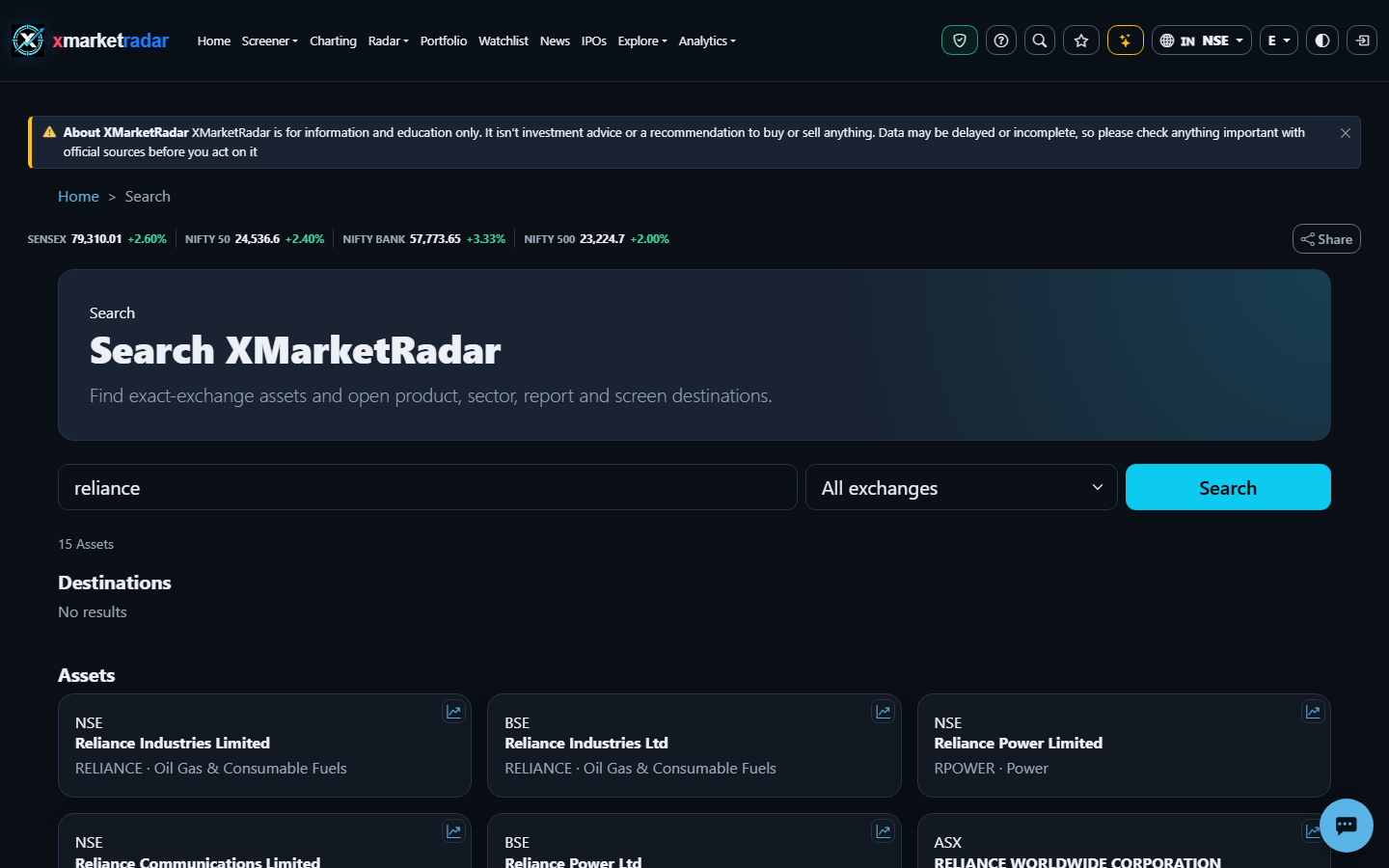
Type in the search box in the navigation bar and press Enter, or go to /Search. Type a symbol, a company name or a tool name such as option chain, choose an exchange or leave All exchanges, and press Search. Destinations lists matching pages and tools; Assets lists matching listings with exchange, name, symbol and sector, and opens Market Details for the exact listing you pick. The address keeps your query and exchange, so a search can be shared or bookmarked.
Calculation or source #
Destinations are matched in the page from the product catalogue: every word you type must appear in a destination's name, description or search terms. Assets come from the stored list of active listings: the symbol or name must contain your text, symbols that start with it come first, and up to 15 matches are shown.
Prerequisites, inputs, period and unit #
No sign-in or plan is needed. Matching ignores letter case. Choosing an exchange limits Assets to that exchange; Destinations are not filtered by exchange.
Worked example #
Illustrative only: searching "reliance" with All exchanges can list the NSE and BSE listings as separate results, because they are different listings with their own prices.
What high and low mean #
Not a score: results are ordered by match, not ranked by quality or popularity.
Positive, negative and zero #
Not applicable: search shows names and links, not values.
Limitations and common mistakes #
Only the first 15 listing matches are shown, so a short or common word may hide the listing you want; add more of the name or choose an exchange. Search does not look inside news, filings or Help articles; use the Help Centre search for those.
Market-specific differences #
The same company can be listed on several exchanges, each with its own symbol, currency and session; always check the exchange label before opening a result.
Suggested next steps #
Search for a company you follow with All exchanges, note how many listings appear, then choose one exchange and confirm the result opens the matching Market Details page.
Educational use only #
This guide explains descriptive research evidence. It is not investment advice, a price prediction, a recommendation, a claim of predictive accuracy, or an instruction to buy, sell, rebalance or place an order.